Apps by BAA

Lexfolio

The EPUB and PDF reader your iPad should have come with.

Just got an iPad? Lexfolio is a reader for every EPUB and PDF you own: novels, textbooks, papers, manuals, scanned PDFs. Open two books at once, look up a word without leaving the page, mark what matters, and find it again with one search. Everything stays on your own device.

Download on the App Store for iPhone, iPad and Apple silicon Mac

Try every feature for 7 days, then unlock Lexfolio once for $9.99.

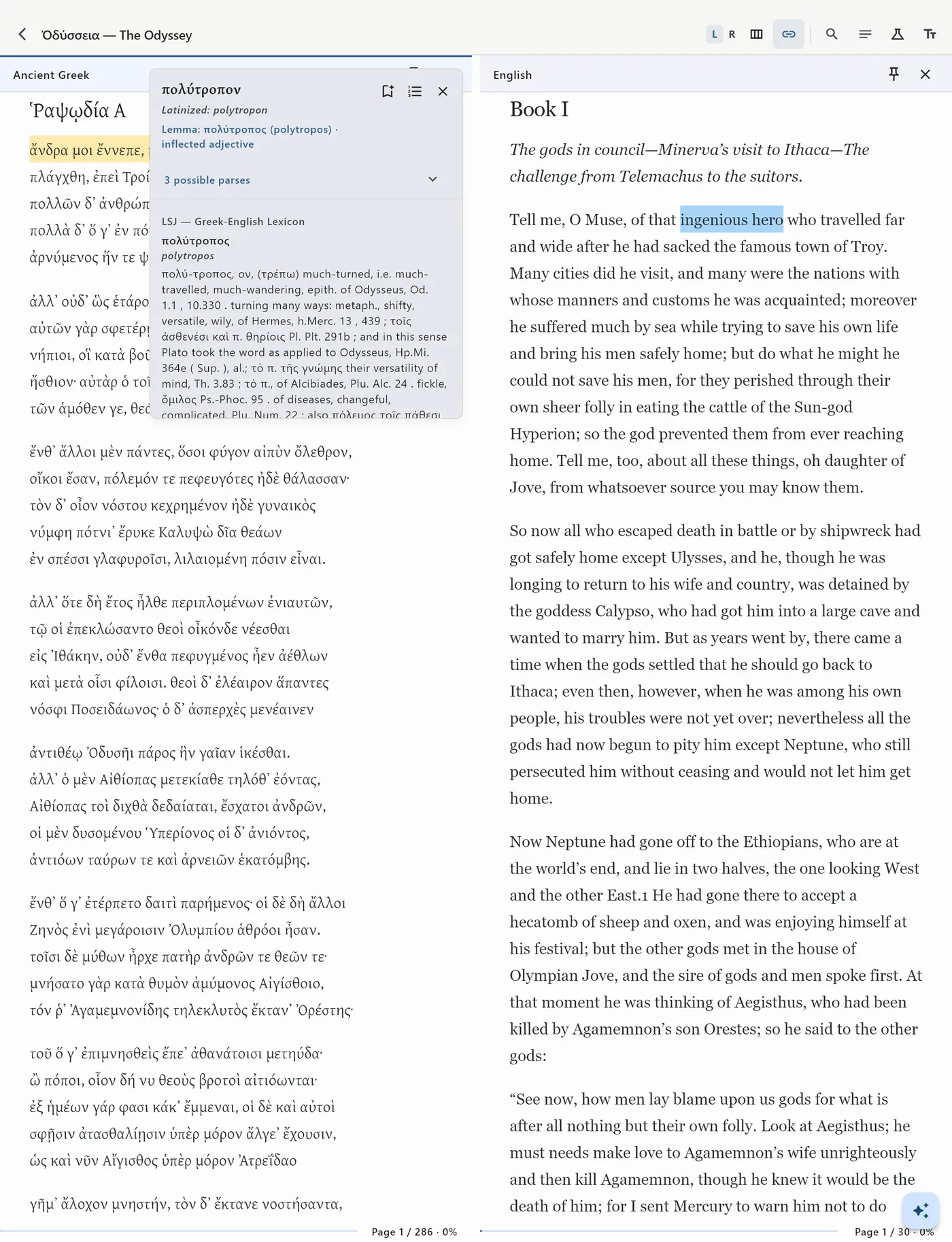
Homer's Odyssey in Greek beside Butler's English translation on iPad, with the LSJ entry for πολύτροπον open
Odyssey 1.1 beside Butler, with the LSJ entry for πολύτροπον

Why it belongs on a new iPad

An iPad screen is wide enough for two books, and most reading apps fill it with one. Lexfolio lets you read a textbook beside your notes on it, a paper beside the one it cites, or a novel beside its translation. Set it up once: import your EPUB and PDF files and choose a dictionary for each book, and from then on it works without a connection, on a train or in a library with no Wi-Fi. If you read on your iPad, it is one of the first apps to install.

Who it is for

Anyone with a folder of EPUB and PDF files they actually read. Students with textbooks and course PDFs to highlight and search before an exam. Researchers with papers to annotate and cite. Readers of novels in another language, who want each word they look up saved for review. Translators, who need the original and a published translation open together, each keeping its own place. And classicists, with Homer or Virgil beside a translation and the LSJ or Lewis & Short over the page.

What it does

Two books, one desk

On iPad and Mac, open two books side by side: original and translation, text and commentary, a grammar beside the passage. Each pane keeps its own position, and you can link them so they scroll together. On iPhone you switch between the two.
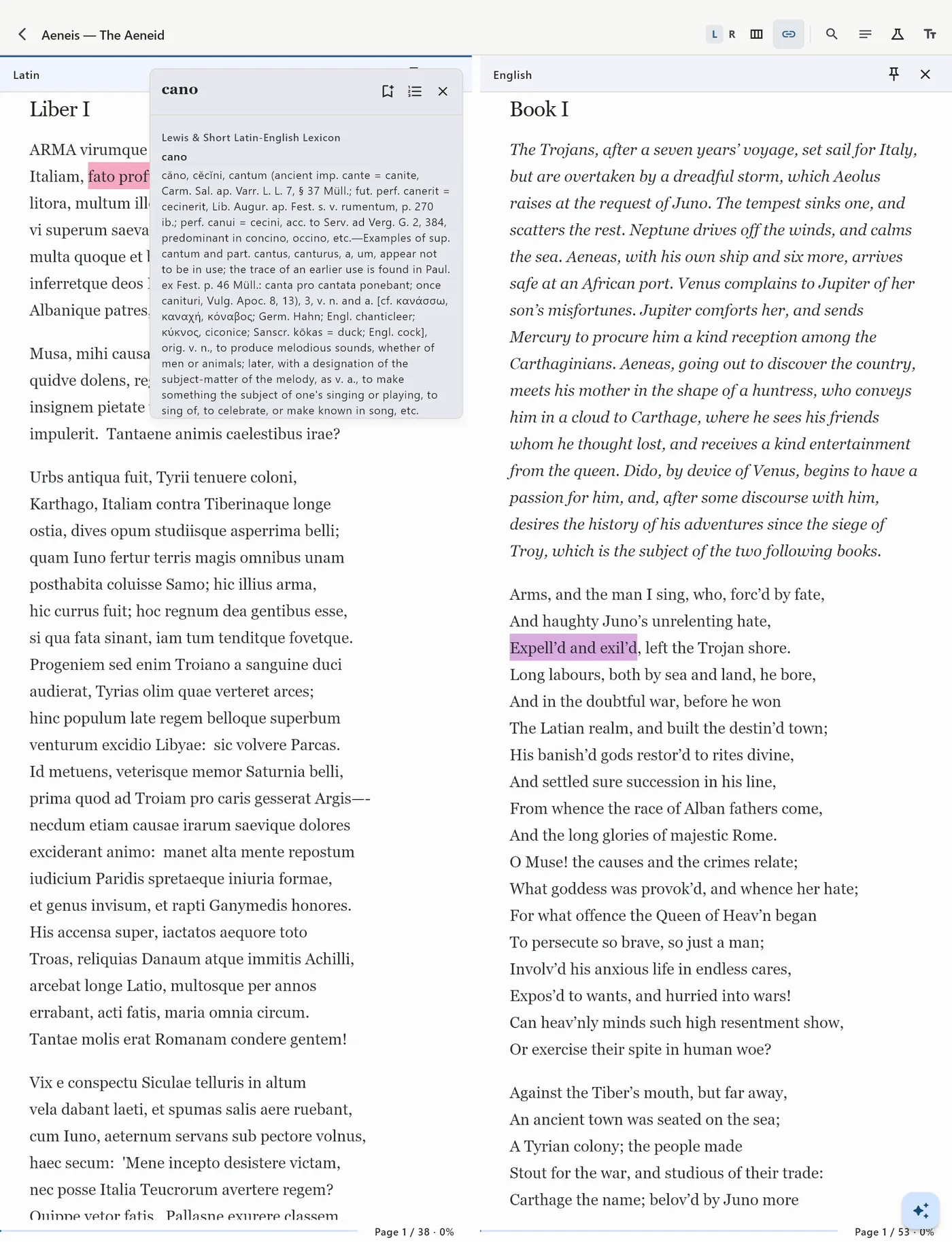
Virgil's Aeneid in Latin beside Dryden's English translation on iPad, with a Lewis & Short entry open over the Latin page
Virgil’s Aeneid beside Dryden, with Lewis & Short over the page

The lexicon in the margin

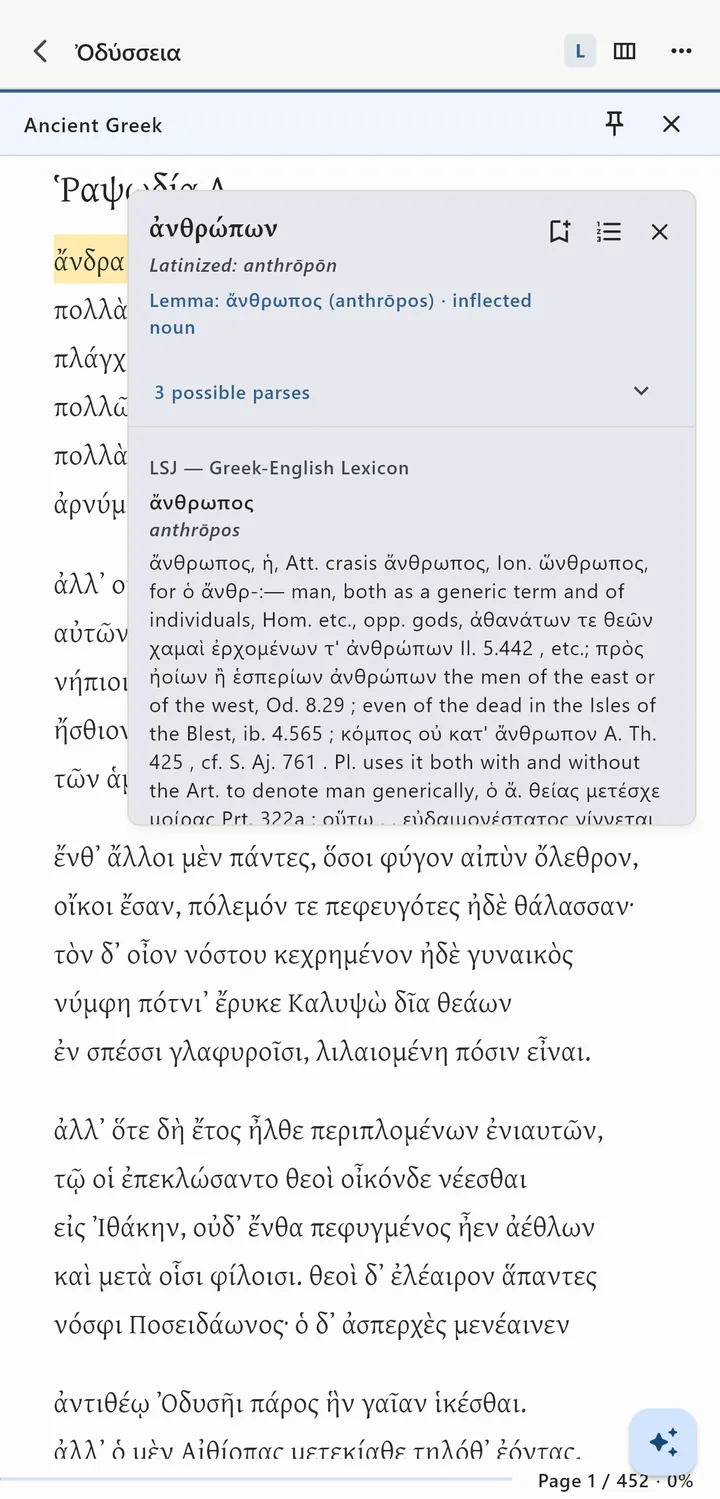
Select a word to look it up. Inflected Ancient Greek forms are traced back to their dictionary form, with the grammatical form and a transliteration, so ἀνθρώπων takes you to ἄνθρωπος.

The Odyssey in Greek on iPhone, with the LSJ entry for ἄνθρωπος open over the word ἀνθρώπων
Odyssey 1.3, ἀνθρώπων traced to ἄνθρωπος in the LSJ

Notes that stay with the passage

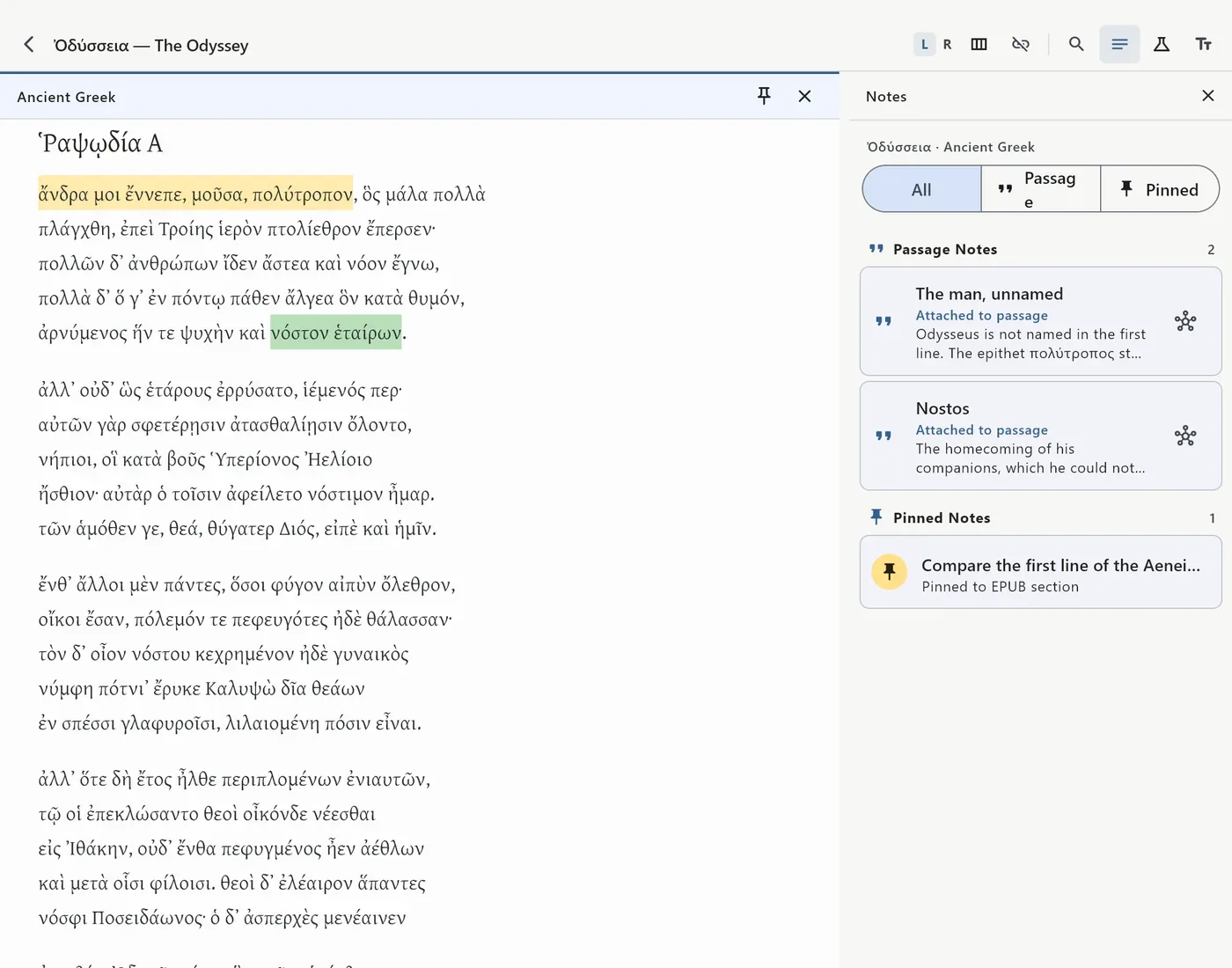
Highlights, notes, bookmarks and pinned page notes are anchored to the text, not to a page number.

The Greek Odyssey with highlighted lines and the Notes panel listing passage notes and a pinned note
Passage notes and a pinned note on the first lines of the Odyssey

Aligned passages and Recall Reading

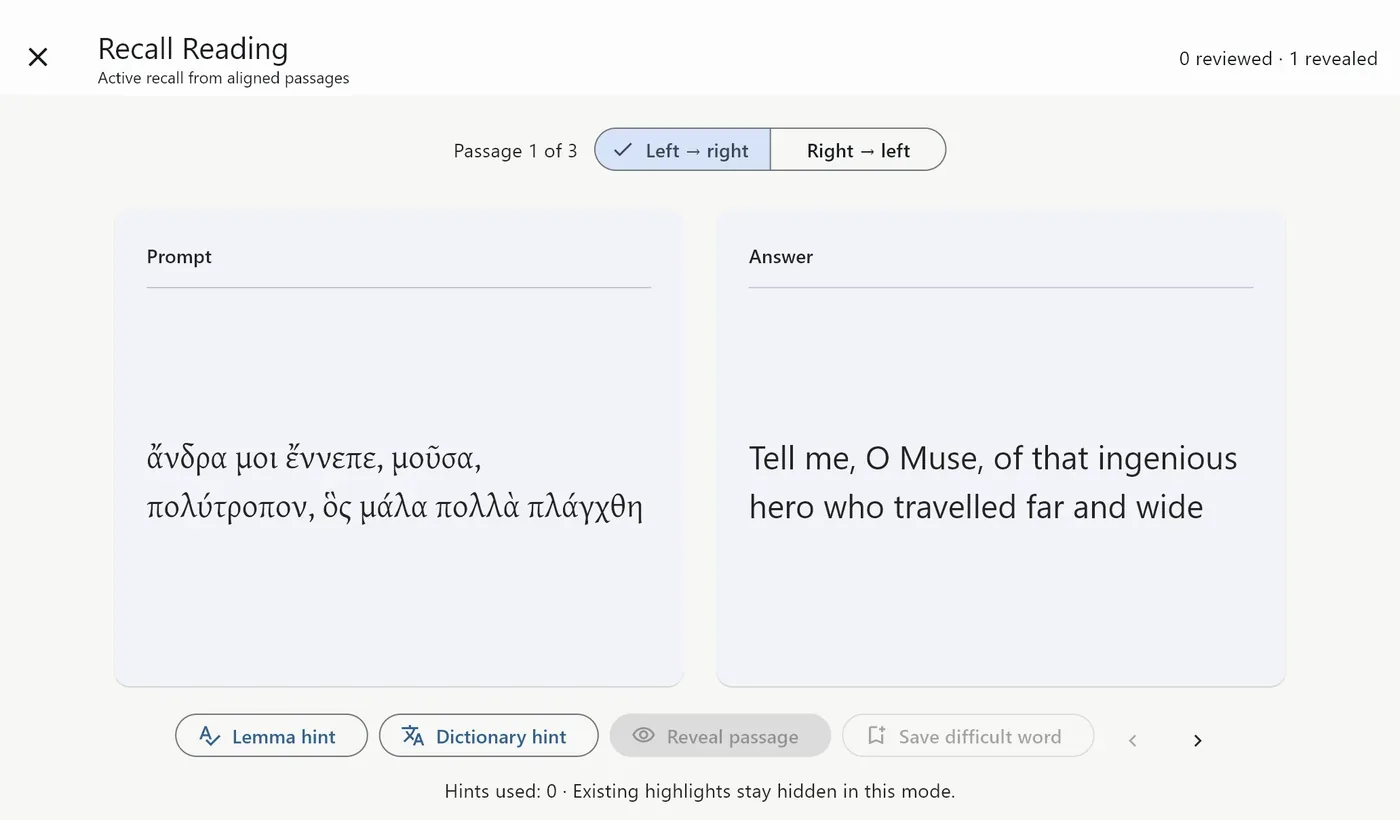
Mark a passage in one book and its counterpart in the other, and keep the pair. Recall Reading turns those pairs into exercises: you see one side, translate it yourself, and reveal the other when you are ready. A lemma hint or a dictionary hint is there if you get stuck.

Recall Reading showing the Greek first line of the Odyssey as the prompt and Butler's English as the revealed answer
Recall Reading, Greek to English

Words you keep

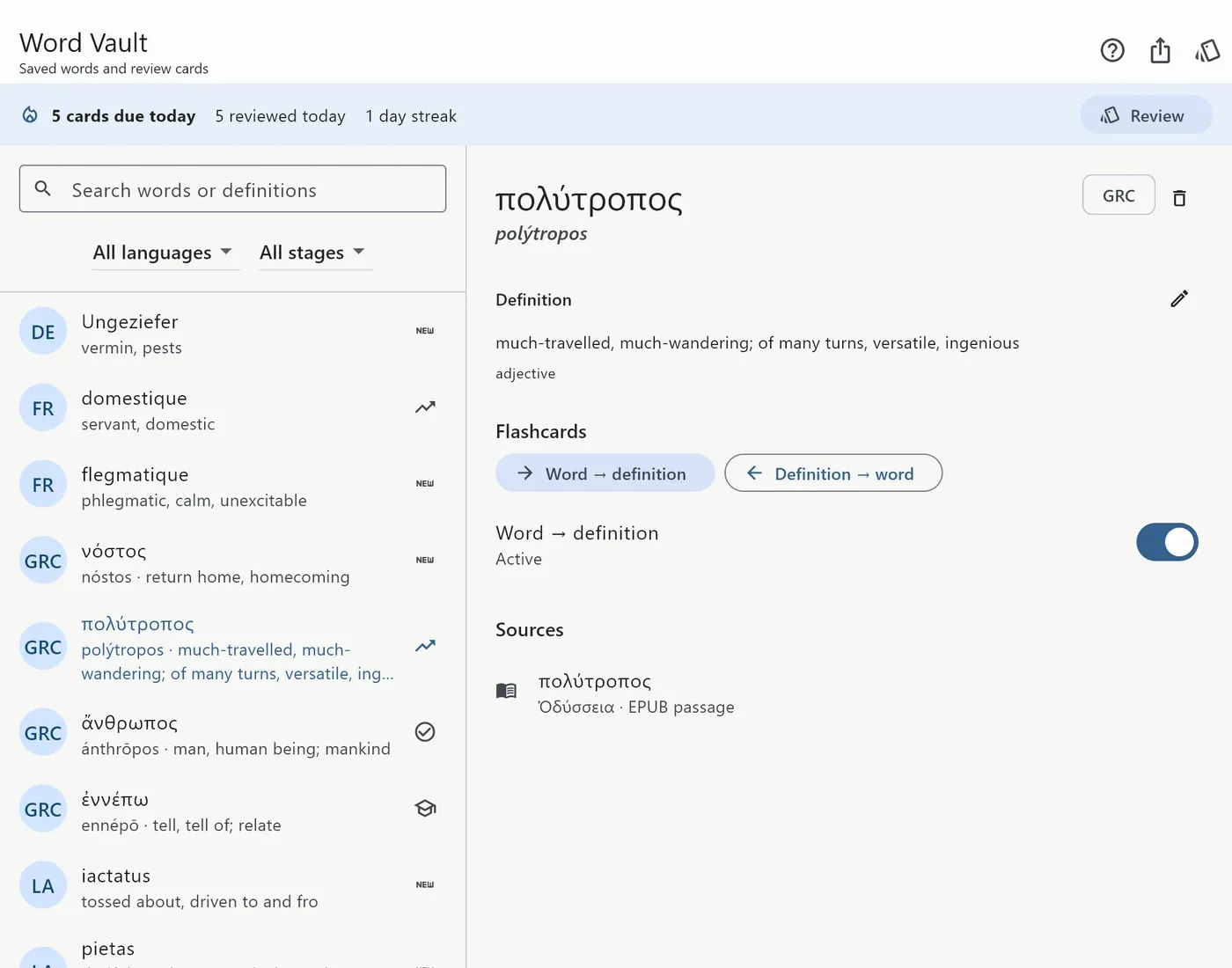
Send a word to the Word Vault while you read. Each word remembers the passage it came from and comes back as a review card, scheduled by how well you knew it.

The Word Vault listing saved Greek, Latin, French and German words, with πολύτροπος open and its source passage
The Word Vault, with πολύτροπος and the passage it came from

Concepts and threads

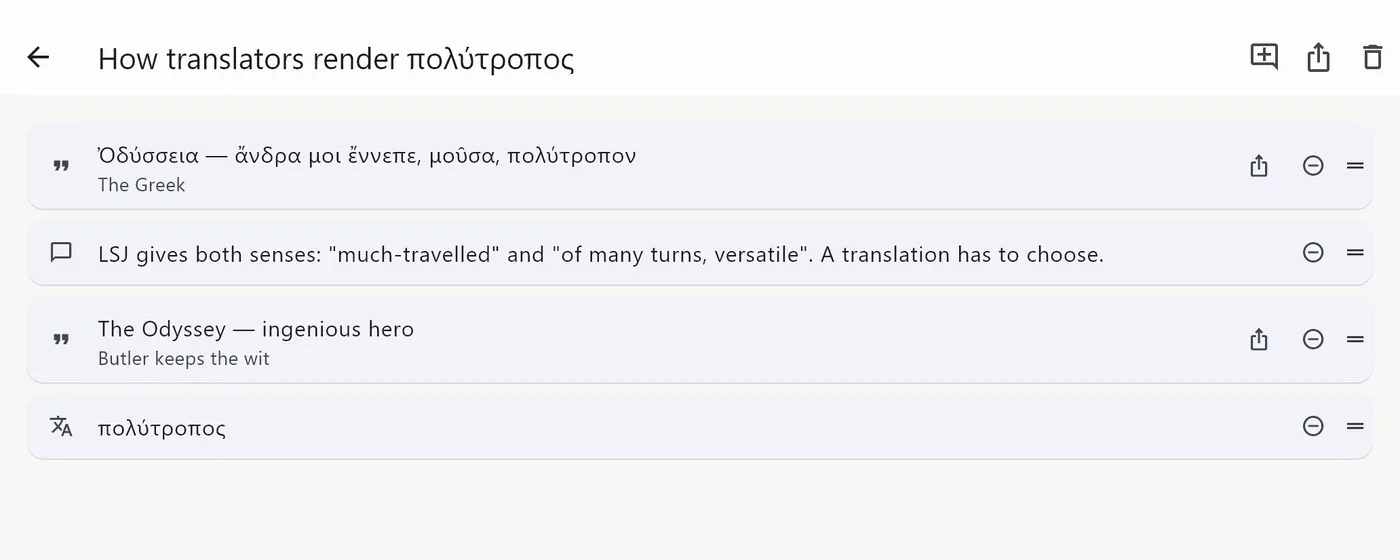
Gather annotations from several books under a concept, or string passages, thoughts and words into a thread that follows one question across your library.

A thread titled How translators render πολύτροπος, linking the Greek line, a thought, Butler's English and the saved word
A thread on how translators render πολύτροπος

Search and cite

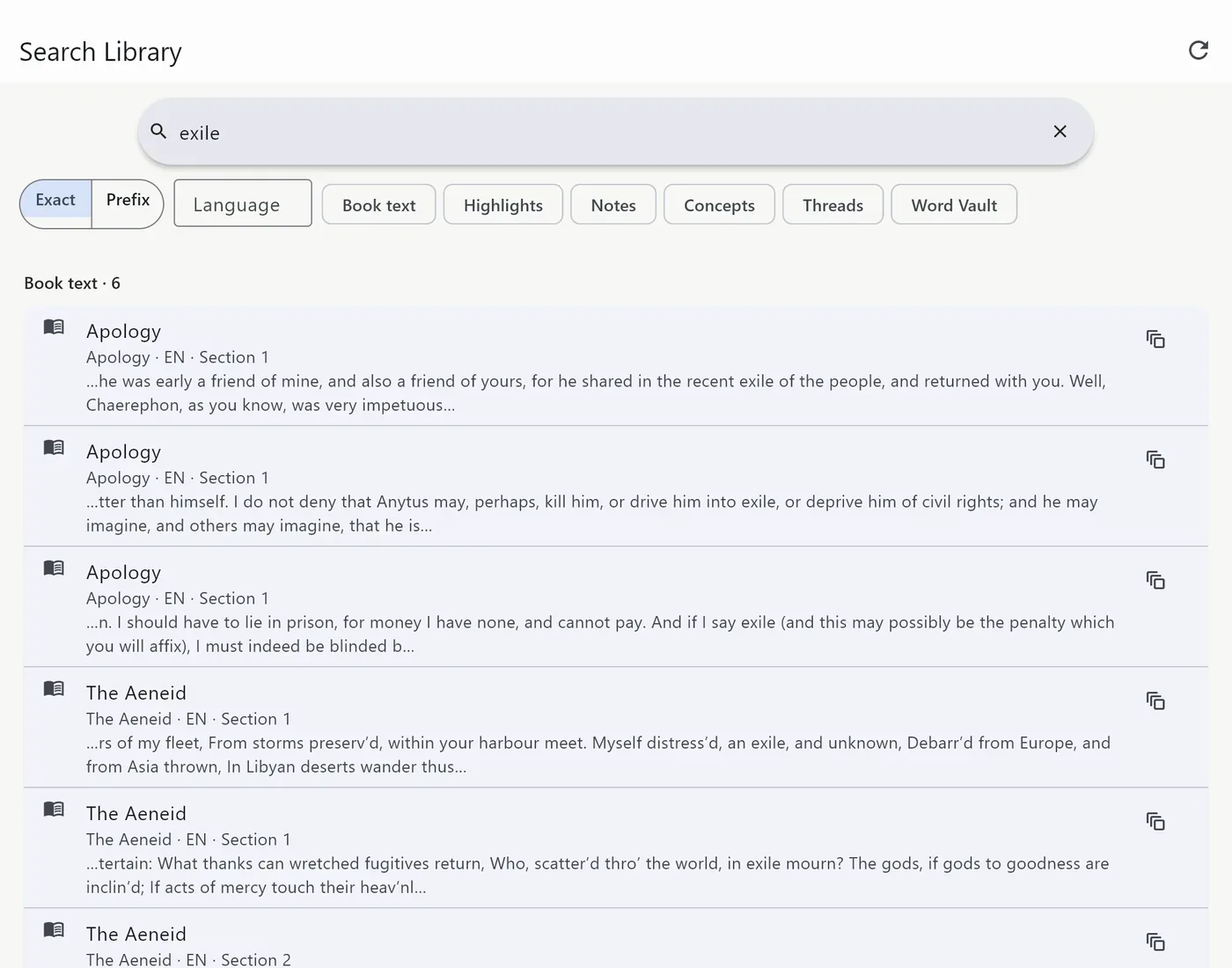
Search your whole library offline: book text, highlights, notes, concepts and saved words. Scanned PDFs are made searchable by text recognition on the device. Export citations for your writing.

Library search for the word exile, with results from Plato's Apology and Dryden's Aeneid, a note and a concept
One search for “exile” across books, notes and concepts

Research projects

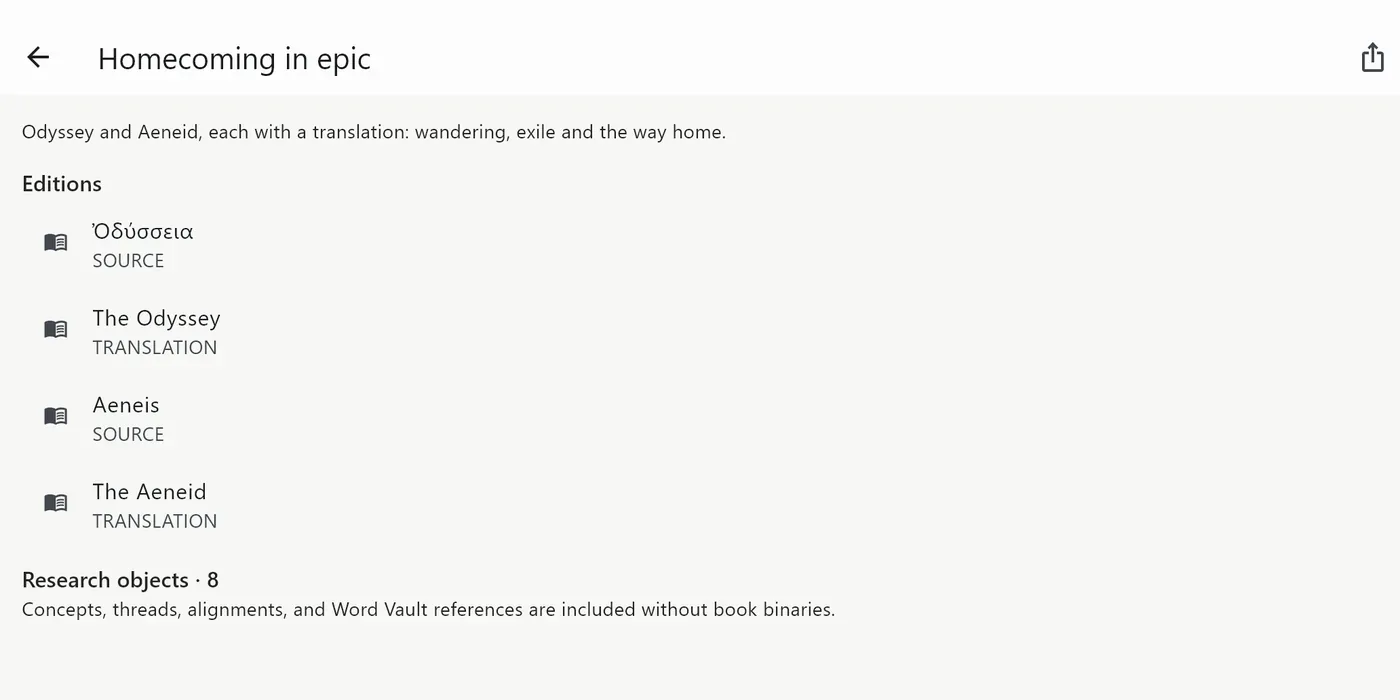
Group the editions, concepts, threads, alignments and words for one piece of work into a project, and move it between devices as a .lexfolio package. Packages carry your notes, never the book files.

A research project called Homecoming in epic, with the Odyssey and the Aeneid in Greek, Latin and English
A project with two sources and two translations

Dictionaries included, all offline

LanguageDictionaryEntries
Ancient Greek → English LSJ, Liddell–Scott–Jones, Greek-English Lexicon (via the Perseus Digital Library) 116,497
Homeric Greek → English Cunliffe, A Lexicon of the Homeric Dialect (1924) 9,808
Latin → English Lewis & Short, A Latin Dictionary (via the Perseus Digital Library) 51,636
French → English Wiktionary-based 79,348
German → English Wiktionary-based 70,407
Spanish → English Wiktionary-based 98,487
English Princeton WordNet 3.0 155,287

You choose the dictionary for each book.

Your reading stays on your device

You use Lexfolio without an account or sign-in. It shows no ads, collects no analytics and has no server of its own. Your books, notes, cards, alignments and search indexes stay on your device, and text recognition runs there too. iCloud sync is optional, off by default, and uses your own iCloud account. The one exception is the purchase record, which RevenueCat receives under an anonymous ID for sales reporting. Read the privacy notice.

AI, only if you ask for it

Lexfolio has no AI of its own. Two optional tools are off by default: an assistant that uses your own API key and only sees the passages you tick, and a panel that opens ChatGPT, Claude or Gemini inside the reader with the passage copied for you to paste.

Price

Every feature is open for 7 days, and no card is needed to start. After that, one purchase of $9.99 unlocks Lexfolio for good. There is no subscription, nothing you made during the trial is lost, and Restore Purchases works on your other devices.

Questions

Does it come with books?

No. Lexfolio opens your own DRM-free EPUB and PDF files. Public-domain Greek and Latin texts are available from the Perseus Digital Library and Project Gutenberg.

Does it work offline?

Reading, the dictionaries, text recognition and search all work without a connection. iCloud sync and the optional AI tools need one.

Does it run on a Mac?

Yes, on Macs with Apple silicon, as the iPad app from the Mac App Store. Intel Macs are not supported.

Which Greek dictionary does it use?

The LSJ for Ancient Greek, with Cunliffe’s Homeric lexicon as a second choice, and Lewis & Short for Latin.

Is my reading data sent anywhere?

No. Lexfolio has no server. The privacy notice explains the one exception, the purchase record.

Guide: how to read two books side by side on iPad. Something else? Lexfolio support answers by email.